How to see your SSD's power-on hours and wear in PowerShell
Published
Short answerRun Get-PhysicalDisk | Get-StorageReliabilityCounter | Select-Object PowerOnHours, Wear, Temperature, ReadErrorsUncorrected in PowerShell as administrator. Divide PowerOnHours by 24 for days. A new laptop should show a small number.
Every SSD, and most hard drives, keep their own counters: hours powered on, wear, temperature and errors. That is handy before you buy a used laptop, or to check that a "new" one is really new.
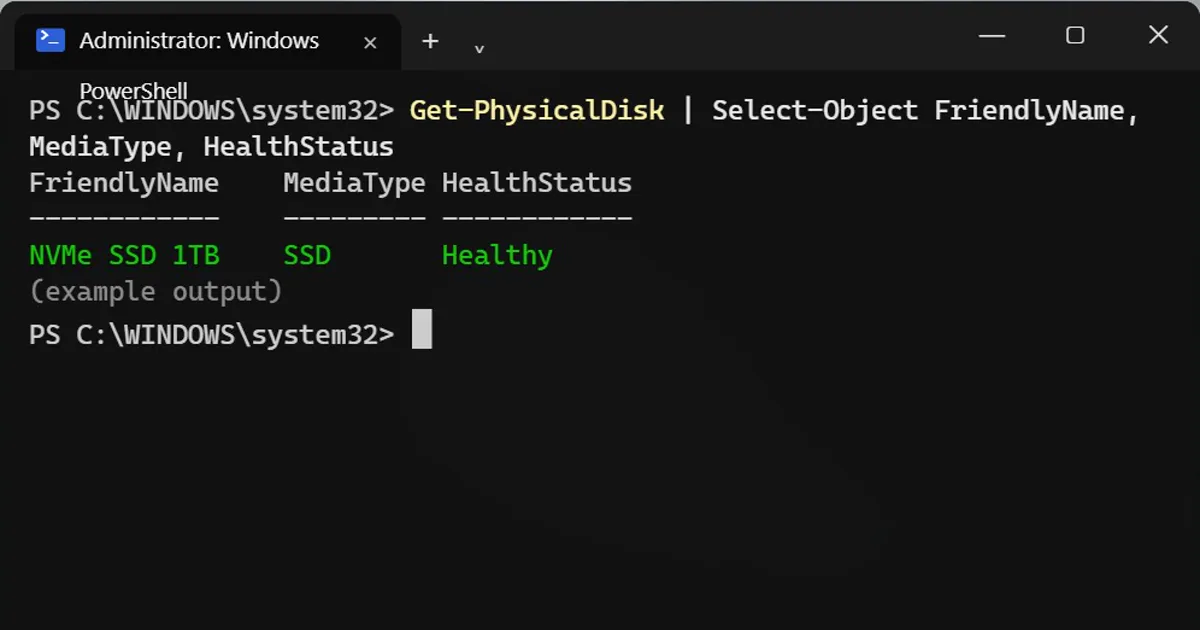
Quick health check (no admin)
Get-PhysicalDisk | Select-Object FriendlyName, MediaType, HealthStatus
Healthy is only a pass or fail flag. For the numbers, you need the next step.
The counters (as administrator)
Open PowerShell as administrator and type:
Get-PhysicalDisk | Get-StorageReliabilityCounter | Select-Object PowerOnHours, Wear, Temperature, ReadErrorsUncorrected
PowerOnHours Wear Temperature ReadErrorsUncorrected
------------ ---- ----------- ---------------------
6400 3 38 0- PowerOnHours: divide by 24 for days. 6400 hours is about 267 days of being switched on. A brand-new laptop should show a small number.
- Wear: the percent of the drive's rated life used. 0 is new.
- Temperature: in degrees Celsius.
- ReadErrorsUncorrected: should be 0.
The numbers above are an example. Yours will differ.
Blank values or an error?
- Without administrator rights, Windows answers
Access to a CIM resource was not available to the client.Open PowerShell as administrator. - Blank values mean the drive, often a USB one, does not report that counter.
For the full report
Install the free CrystalDiskInfo with winget:
winget install CrystalDewWorld.CrystalDiskInfo
It shows the full SMART report with the same numbers and more.
What to do with the result
- Buying a used laptop? Ask for the hours, then check them on the spot. A "like new" machine with 8,000 hours is not new.
- High wear or errors that keep climbing? Back up your files now.
Safety
A drive can fail without warning even when it shows Healthy. Keep a backup of anything you cannot replace.



Comments
No comments yet. Be the first to share what worked for you.