- Updated
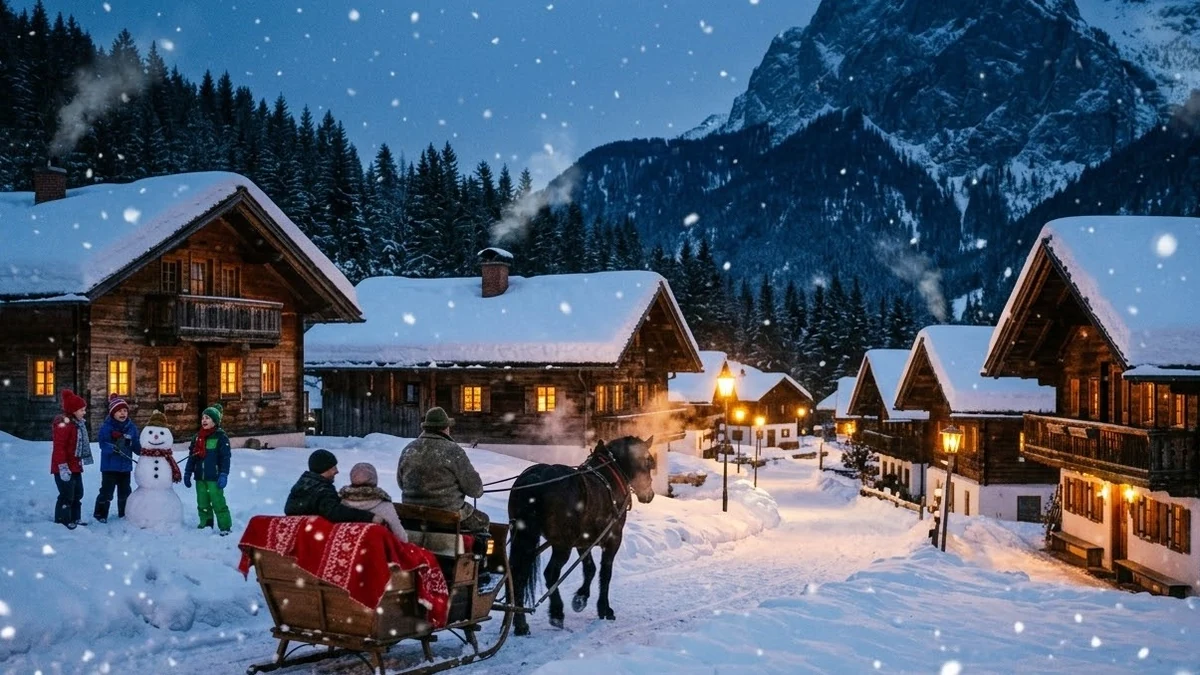
Snowy village at evening
This prompt shows a small village at dusk under falling snow, with warm yellow windows glowing and smoke rising from the chimneys.
A small [PLACE, e.g. mountain] village at dusk under falling snow, warm yellow windows glowing, smoke rising from chimneys, a horse-drawn sleigh passing along a lantern-lit lane, children building a snowman in the distance, blue hour sky, gentle crane shot rising above the rooftops, soft bells and quiet snowfall.
Fits Christmas and winter campaigns. Add "no logos" for safe use.
Get a better result
A small village at dusk under falling snow, with glowing yellow windows, smoking chimneys, a sleigh on a lantern-lit lane, children and a snowman in the distance, and a gentle crane shot rising over the rooftops.
The horse’s legs bend wrongly as the sleigh passes.
Fix: Ask for “the horse walks slowly, seen from the side at a distance, in the middle of the lane”. Slow walking is easier for the model than a trot.
- Too many things happen at once, so none of them looks good. Keep three: windows, smoke and the sleigh. Drop the snowman and children, or make a second clip for them.
- Shop signs and house plates show nonsense lettering. Add “no signs, no shop names, no writing anywhere”, as the tip suggests for safe use.
Remove the sleigh and use “an empty lantern-lit lane, snow settling on the rooftops, a cat on a lit windowsill”. A still scene works as a looping background.
Keep only the glowing windows, chimney smoke and one sleigh walking slowly in the middle of the lane. Remove the children and all signs or writing.
Guides that use this prompt
More video generation prompts
See all 489 →
More like this
- Snowy winter portraitGemini · ChatGPT
- Fox pouncing in the snowVeo · Kling · Seedance
- Village morning in rural IndiaVeo · Kling · Seedance
- South Indian village eveningGemini · ChatGPT · Midjourney
- Wolf howling in the snowVeo · Kling · Seedance