- Updated
Product demo with hands in frame
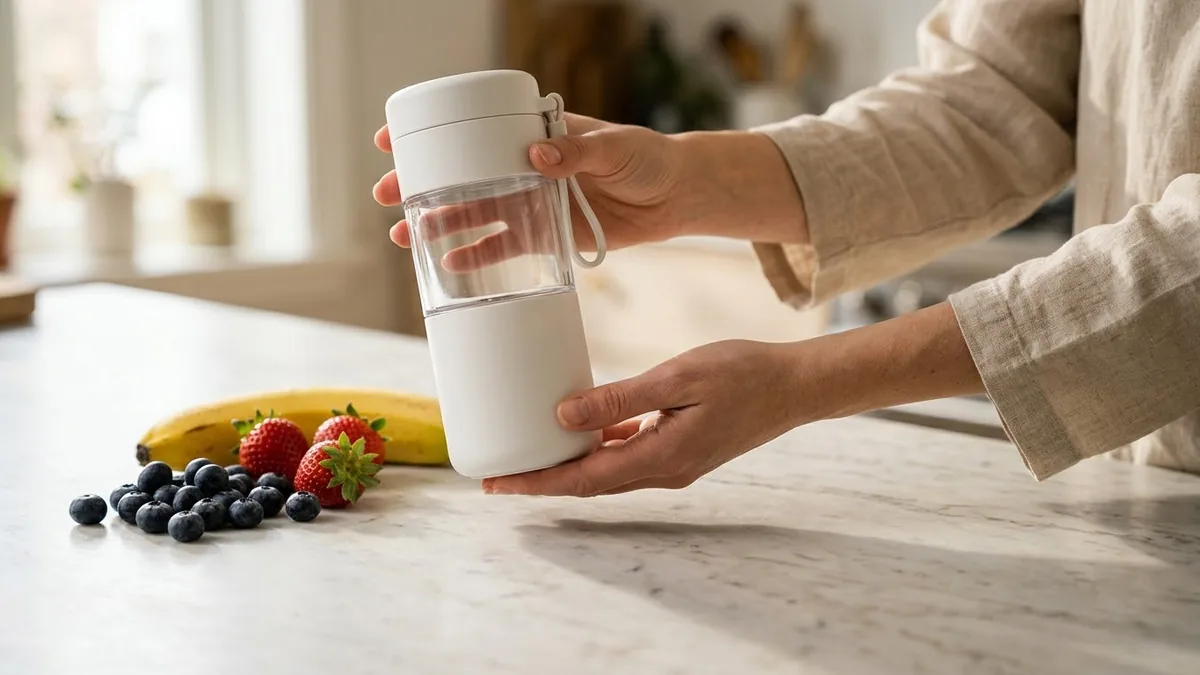
This prompt shows hands demonstrating a product on a clean surface: picking it up and showing its main features.
Close-up of hands demonstrating a [PRODUCT] on a clean [SURFACE]: picking it up, showing its main feature [FEATURE], using it once, and placing it down with a satisfied smile in the background. Soft daylight, shallow depth of field, slow steady movement, natural sound, look of an honest review.
Show one feature per clip and cut them together.
Get a better result
A close-up of hands picking up your product, showing its main feature, using it once and putting it down, with a satisfied smile in the background, soft daylight and the feel of an honest review.
Hands-on demos feel trustworthy because they show the product being used, not just posed. The prompt keeps the camera on hands and the product, limits the clip to one feature and adds a satisfied smile out of focus for a human reaction. Soft daylight and natural sound make it feel like an honest review rather than an ad.
The product changes shape between shots.
Fix: Describe its colour, size and buttons in detail, and keep each clip to one action, as the tip suggests.
- The feature shown is not what your product does. Describe the feature in one physical action, such as “presses the button and the lid pops open”.
- It looks staged and glossy. Ask for natural daylight and a lived-in surface, such as a kitchen counter with a mug nearby.
Ask for a first clip of hands opening the box and lifting the product out, before the demo clip.
the product keeps the same shape, colour and size in every frame, one clear physical action for the feature, natural daylight on a kitchen counter
More video generation prompts
See all 489 →

More like this
- Workout form demonstrationVeo · Kling
- Cinematic 360° product revealVeo · Kling
- Sneaker hero ad with fast cutsKling · Veo · Seedance
- UGC-style product review adVeo · Kling
- Mini ad storyboard with your productHiggsfield · Seedance