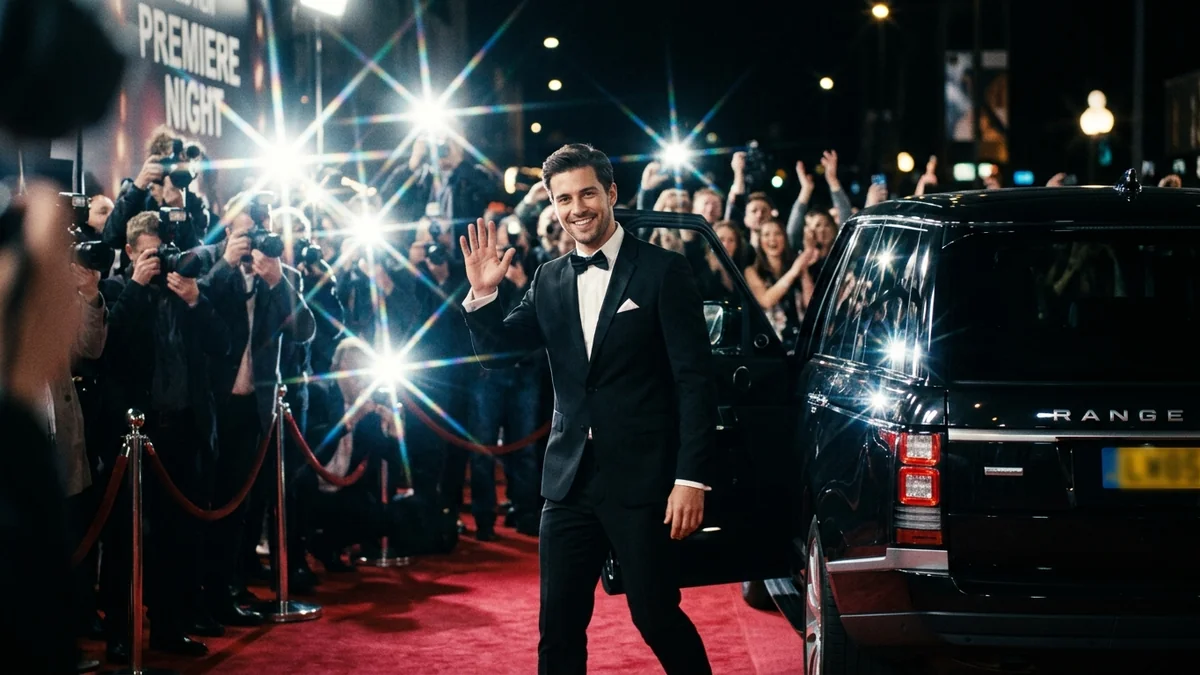
Red Carpet video prompt
Red Carpet puts a person on a long carpet with photographers on both sides. It is a top pick for birthday and event Reels. The prompt describes the walk, the pause and the flashes, and asks for no logos.
Red carpet walk, 9:16, 6 seconds. The person in this photo walks confidently down a long red carpet in [OUTFIT, e.g. a black sherwani], while a line of photographers on both sides take pictures and camera flashes pop. They pause, turn slightly and smile. Cinematic evening light, shallow depth of field, slow-motion feel. Face and clothes stay the same. No text, no logos.
Some “open” links are affiliate links: if you sign up through them we may earn a commission, at no extra cost to you.
A full-body photo works best. Say "no banners or logos" so the background stays clean.
From copy to clip in four steps
- 1
Open Higgsfield.
- 2
Paste the prompt and fill in the [BRACKETED] fields. Add a starting image if the tool supports it.
- 3
Set the aspect ratio and length in the tool.
- 4
Generate two or three takes and adjust one detail at a time.
About this prompt
Which AI tools work with this prompt?
It is written for Higgsfield, Kling and Veo. Paste it into your preferred tool and adjust the wording if the result is off.
What do I need to fill in?
Replace the field before you send it: OUTFIT. Each field shows an example in the prompt.
Why does the result differ between video models?
Each model interprets camera moves, motion and audio differently. Keep the prompt, regenerate a few times and change one detail at a time.