- Updated
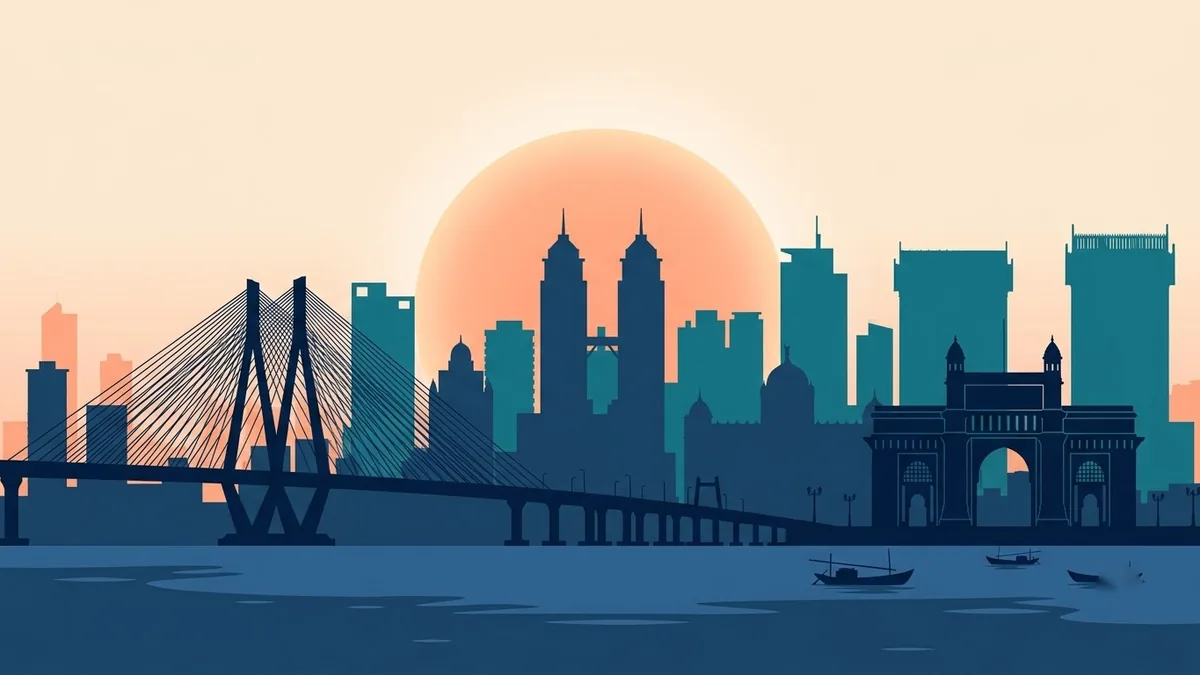
Minimal city skyline poster
This prompt makes a modern travel print of a city you name, with a flat vector silhouette of its landmarks in layered shades, a soft gradient sky and a small line of text such as the city name and coordinates or year.
Minimal city skyline poster of [CITY], flat vector silhouette of the famous landmarks in layered shades of [COLOUR], a soft gradient sky, a small line of text "[CITY NAME]" and "[COORDINATES OR YEAR]" at the bottom, modern travel print design. --ar 2:3
Put a simple date or coordinates line at the bottom for a personal keepsake.
Get a better result
A minimal poster of your city’s skyline as flat vector silhouettes in layered shades of one colour, with a soft gradient sky and a small line of text at the bottom.
Minimal skyline prints rely on silhouettes, so the prompt asks for flat landmark shapes in layered shades of one colour, with a soft gradient sky. Fewer colours make it look designed rather than busy. The city name and a date or coordinates line at the bottom, as the tip suggests, turn it into a personal keepsake.
Landmarks are wrong.
Fix: Name the landmarks you want, such as a tower, a gate and a bridge, and check against a real photo.
- The text is wrong. Leave the text out and add the city name and coordinates yourself.
- Layers blend together. Ask for “three clear tonal layers, back lightest, front darkest”.
Use a dark navy sky, a pale moon and a few lit windows in the same silhouette style.
a thin line frame around the poster and one small keepsake line of text with a date at the bottom
More image generation prompts
See all 347 →
More like this
- Numbers 1 to 10 counting posterMidjourney · Gemini · ChatGPT
- Athlete action poster of youGemini · ChatGPT
- Movie poster starring youGemini · ChatGPT
- Sneaker sale posterGemini · ChatGPT · Midjourney
- We are hiring posterIdeogram · ChatGPT · Gemini