Free tool · your photos never leave your device
Before and after photo maker
Add your original photo and the AI result. Get one picture with BEFORE and AFTER labels, sized for an Instagram post, a story or WhatsApp status. Free, no sign-up, nothing uploaded.
Make your before and after picture
Caption to post with it
Tag @usepromptup on Instagram and we may share our favourites.
Prompts that make great before and afters
Upload your photo in Gemini or ChatGPT, paste one of these, and use the result as your AFTER photo.
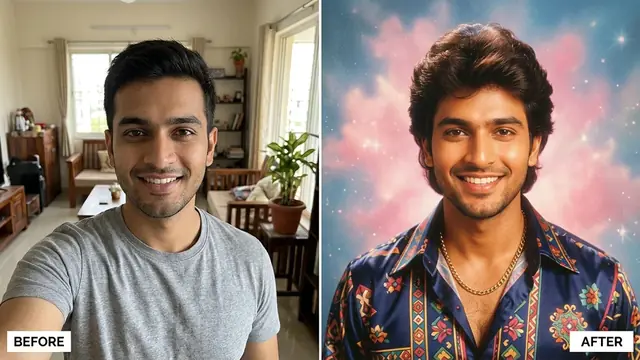 1980s Bollywood retro portrait
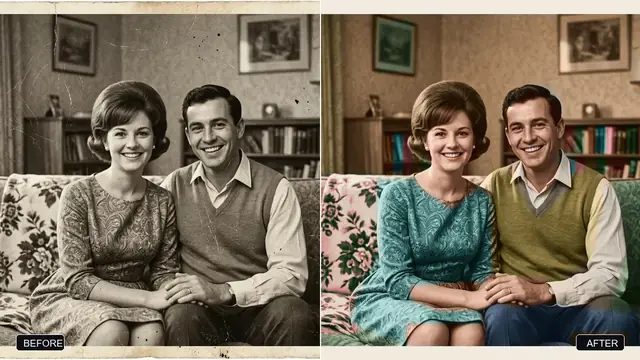 Restore an old, damaged family photo
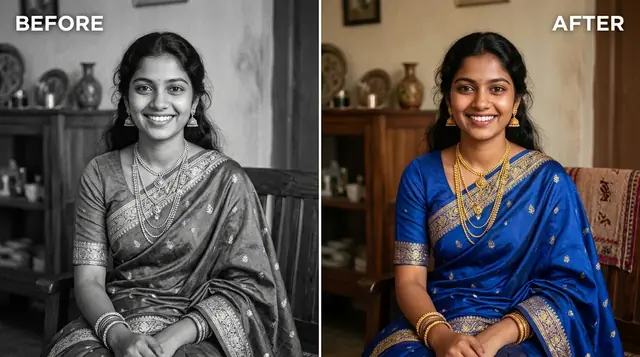 Colourize a black and white photo
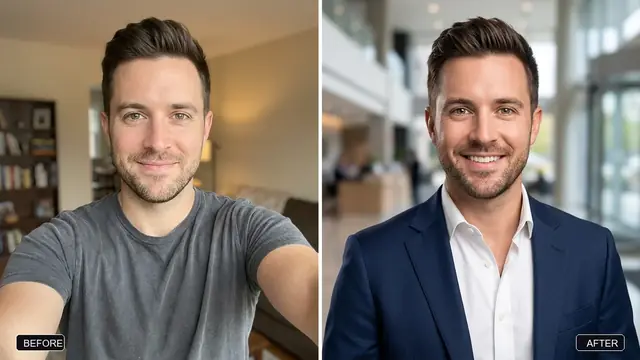 Pro LinkedIn headshot from a selfie
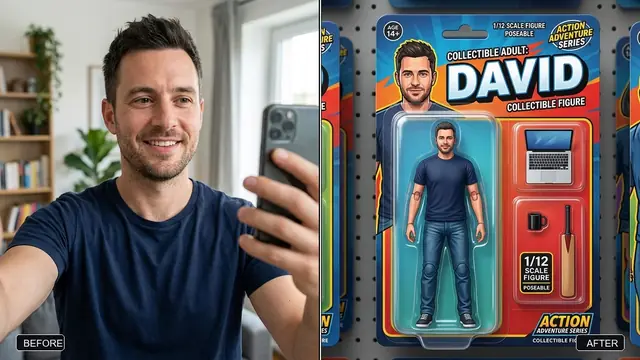 Me as an action figure in toy packaging
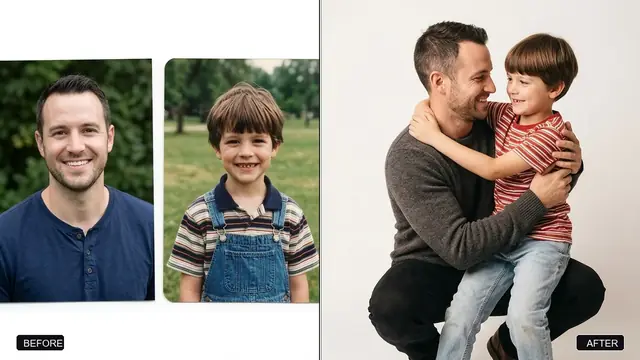 Hug your younger self
How to make a before and after photo
- Make the AFTER photo. Pick a prompt above, upload your photo in Gemini or ChatGPT, paste the prompt and save the result.
- Add both photos here. Tap Before for your original and After for the AI result. On a computer you can also drag them in or paste with Ctrl+V.
- Pick a layout and size. Side by side suits portraits, top and bottom suits wide photos, and Slider looks like a before and after slider. Use Story for Instagram stories and WhatsApp status.
- Download or share. On a phone, Share sends it straight to WhatsApp or Instagram. Copy the caption so friends can find the prompt.
Questions, answered
Is the before and after photo maker free?
Yes. It is free with no sign-up and nothing printed across your photos. A small credit strip with a QR code sits at the bottom of the card, and you can switch it off.
Are my photos uploaded?
No. The card is drawn in your browser and saved straight to your device. PromptUp never sees or stores your photos.
Which size should I pick for Instagram and WhatsApp?
Post 4:5 fills the Instagram feed. Story 9:16 is for Instagram and Facebook stories, WhatsApp status and Reels covers, and keeps the top and bottom clear for the app's buttons. Square works anywhere.
How do I make the AFTER photo?
Pick a photo prompt, such as the 1980s Bollywood portrait or old photo restoration. Upload your photo in Gemini or ChatGPT, paste the prompt and save the picture it makes. That is your AFTER photo.
What is the QR code on the card for?
It opens the prompt you used. When friends ask how you made it, they can scan the code and make their own.
Can I use it for photos that are not AI edits?
Yes. Any two photos work: makeovers, room cleanups, fitness progress, drawings or a recipe that went right the second time.