Apollo 11 almost aborted its Moon landing because the computer was too busy
Published · Facts checked against the sources at the end
 Watch the reel on YouTube (opens in a new tab)
The short versionMinutes before the Moon landing, the Apollo 11 computer was given more work than it had time for and flashed alarms 1202 and 1201. Its software dropped the low-priority jobs, restarted in a blink and kept steering the lander. Mission Control knew the alarm was safe as long as it did not stay on, so the landing went ahead.
- 5program alarms during the descent
- 2,048words of working memory, about 4 KB
- ~13%of the computer's time taken by the radar fault
- ~7 minfrom the first alarm to touchdown
What happened
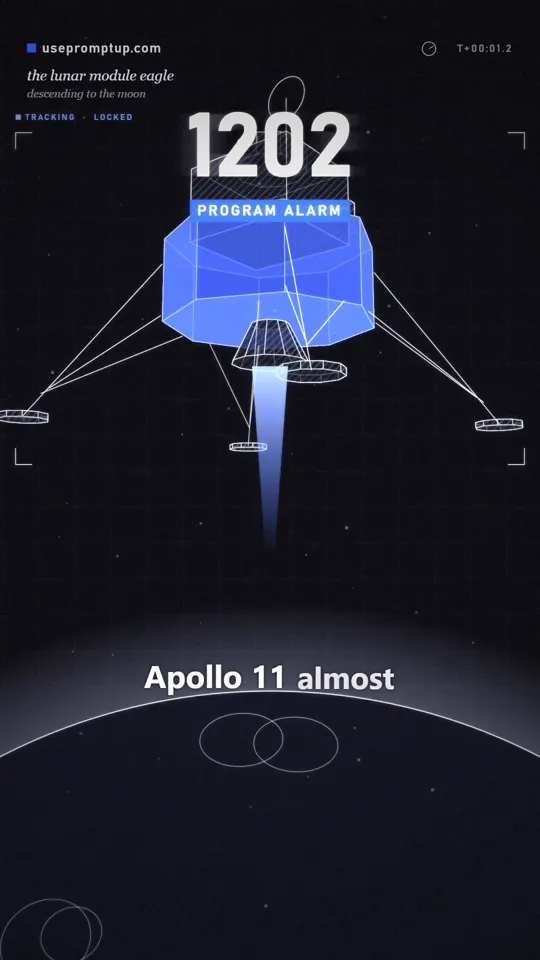
On 20 July 1969, Neil Armstrong and Buzz Aldrin were flying the lunar module Eagle down to the Moon. About seven minutes before touchdown, the guidance computer showed a code the crew did not expect: 1202. Armstrong called it down to Houston: "It's a 1202." A little later came a 1201.
An alarm on the computer that is steering you to the Moon is not a small thing. If Mission Control had decided the computer could not be trusted, the landing would have been called off. Instead, 23 seconds after Armstrong's call, Capcom Charlie Duke answered: "We're Go on that alarm." There were five alarms in all, and each time the answer was the same.
What the 1202 alarm meant
The Apollo Guidance Computer ran its work as a list of jobs. Each job needed a small block of memory while it ran. The computer had only eight of these blocks (called core sets) and five larger work areas (called VAC areas).
- 1202 meant "no core sets left": there were more jobs waiting than blocks to put them in.
- 1201 meant "no VAC areas left": the same problem with the larger work areas.
In plain words, the computer was being asked to do more than it had time and room for. Engineers called it executive overflow.
Why the computer was so busy
The extra work came from the rendezvous radar, the radar used to find the command module again after leaving the Moon. It was not needed for landing, but the checklist had it switched on during the descent, in case the crew had to abort and meet up with the command module in a hurry.
Because of a hardware detail, the radar's electronics and the computer were powered with signals at the same frequency but not in step with each other. The result was a stream of meaningless counts from the radar that the computer still had to process. MIT engineer Don Eyles, who wrote much of the landing software, later put the cost at about 13% of the computer's time. The computer did not have much time to spare, so that was enough to tip it over.
The computer itself was tiny by today's standards: 2,048 words of working memory (about 4 KB) and 36,864 words of fixed memory for the programs. A phone with 8 GB of memory has about two million times more working memory.
Why it did not crash
The software was designed for exactly this kind of trouble. When it ran out of room, it did not freeze. It restarted in a fraction of a second, rebuilt only the most important jobs, such as steering the lander and firing the engine, and dropped the rest. The less important work, such as some of the numbers shown to the crew, simply waited.
So the alarms were the computer saying "I'm overloaded and shedding work", not "I've failed". It kept flying the lander the whole time.
Who made the call
In Houston, the guidance officer was Steve Bales, who was 26. Behind him, in a back room, sat Jack Garman, a NASA computer specialist who had studied these alarms in simulations. Garman knew that the alarm was safe as long as it did not keep happening without a break, because each restart cleared the backlog. Bales gave the go, and Duke passed it to the crew.
The flight software came from the MIT Instrumentation Laboratory, where Margaret Hamilton led the software engineering division. The restart design that saved the landing was part of that work.
What the reel left out
A 45-second reel has to simplify. Here is the fuller picture:
- There was not one alarm but five: 1202, 1202, 1201, 1202, 1202.
- The radar was not "wrong" to be on. The checklist called for it, and the fault was in how its power was wired, a problem that had been seen in testing before.
- Estimates of the lost computer time differ a little: Eyles gives about 13%, other engineers' accounts say about 15%.
Why this still matters
The same idea runs inside the phone in your pocket. When memory runs low, your phone quietly closes apps in the background so the one you are using keeps working. Big websites do the same when traffic spikes: they turn off extras so the main page still loads. Engineers call it graceful degradation. Apollo 11 is one of the most famous examples of it working when it mattered most.
Timeline
- 102:38:30Armstrong reports the first alarm: "It's a 1202."
- 102:38:53Capcom Charlie Duke: "We're Go on that alarm."
- 102:39 to 102:43Four more alarms (1202, 1201, 1202, 1202). Each time the answer is go.
- 102:45:40The lunar module Eagle touches down, 20 July 1969, about 20:17 UTC.
Times are mission elapsed time (hours:minutes:seconds since launch), from NASA's Apollo Lunar Surface Journal.
Go further with AI
Paste one of these into ChatGPT, Gemini or Claude. Replace the [BRACKETED] parts first. AI chatbots can get dates and numbers wrong, so check anything important against the sources below.
Explain the Apollo 11 1202 alarm to a [10-year-old / beginner programmer]. Use one everyday comparison, keep it under 150 words, and end with one question to check that I understood.
Quiz me on the Apollo 11 landing alarms. Ask 5 multiple-choice questions one at a time, wait for my answer each time, then tell me if I was right and why. If you are not sure of a fact, say so instead of guessing.
My app is [DESCRIBE YOUR APP]. Like the Apollo guidance computer, I want it to keep its most important job working when it is overloaded. List the work it does, sort it into "must keep" and "can drop", and suggest how to shed the low-priority work first.
Frequently asked questions
What does the 1202 alarm mean?
It was the Apollo Guidance Computer's "executive overflow" alarm: there were more jobs waiting than the eight memory blocks (core sets) it had to run them in. The 1201 alarm was the same problem with its five larger work areas (VAC areas).
Why didn't Apollo 11 abort the landing?
The software restarted and kept the essential jobs, like steering and engine control, running. NASA's Jack Garman and guidance officer Steve Bales knew the alarm was safe as long as it did not stay on continuously, so Mission Control called "go".
How much memory did the Apollo 11 computer have?
2,048 words of erasable (working) memory, about 4 KB, and 36,864 words of fixed memory that held the programs.
Sources
- NASA Apollo Lunar Surface Journal: Apollo 11 landing transcript and commentary
- Don Eyles, "Tales from the Lunar Module Guidance Computer" (2004), on the cause of the alarms
- NASA Science: Margaret Hamilton
Spotted a mistake? Tell us and we will fix it.